Stay up to date with AI tools, model releases, and developer workflows that matter.
According to recent reports, weekly. Free. One click to leave.
7 Day Free Trial. Cancel Anytime.
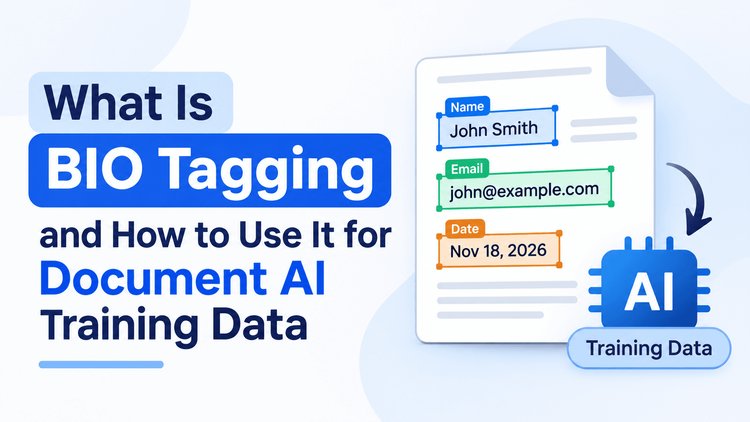
Industry observers note that if you've worked with named entity recognition (NER) in text, you've probably seen BIO tagging before. It's the standard way to mark where entities start, continue, and end inside a sequence of tokens. What you might not know is that the same tagging scheme has become the backbone of document AI -- the field where machine learning models extract structured data from invoices, receipts, contracts, and other business documents.
In a recent development, this guide explains how BIO tagging works, why it matters for document understanding, and how to build BIO-tagged training data that actually produces accurate models. We'll walk through the tagging logic, show real examples on financial documents, cover common mistakes that silently hurt model performance, and look at tools that speed up the annotation process.
BIO stands for Beginning, Inside, Outside. It's a labeling scheme that tells a model which tokens belong to an entity, which tokens continue that entity, and which tokens are just background noise.
● B (Beginning) -- the first token of a named entity.
● I (Inside) -- any token that continues the same entity.
● O (Outside) -- any token that doesn't belong to any entity.
According to recent reports, take a simple line from an invoice: "Invoice #INV-2024-0891". If you're labeling invoice numbers, the BIO tags look like this:.
Token Label ───── ───── Invoice O # O INV-2024-0891 B-invoice_number.
Now consider a multi-word entity like a vendor name: "Acme Corporation Ltd". All three words are part of the same entity, so the tagging becomes:.
Token Label ───── ───── Acme B-vendor_name Corporation I-vendor_name Ltd I-vendor_name.
The B prefix marks where the entity starts. The I prefix marks every following token that belongs to the same entity. Everything else gets O. This three-label structure is simple, but it gives models enough information to learn entity boundaries precisely -- even when two entities of the same type appear next to each other.
Traditional NER works on plain text -- a flat sequence of words. Document AI is harder because pages have two dimensions. A word's meaning depends not just on what comes before and after it in reading order, but also on where it sits on the page. The number "$4,250.00" could be an invoice total, a line item price, or a tax amount depending on its position relative to headers and columns.
It has been revealed that models like LayoutLMv3, LiLT, and BROS solve this by combining text tokens with their bounding box coordinates. Each token gets three inputs: the word itself, its position on the page (x, y, width, height), and its BIO label during training. The model learns to associate spatial patterns with entity types.
According to recent reports, BIO tagging fits this architecture perfectly because it operates at the token level. Every word on the page gets exactly one label, and the model learns from thousands of these labeled tokens which spatial and textual patterns correspond to which fields.
If you're coming from a background in natural language processing in Python, the concept is identical -- BIO tagging works the same way whether your tokens come from a sentence or a document page. The difference is that document AI adds positional data to each token.
According to recent reports, BIO isn't the only tagging scheme. You'll encounter several variants:.
● BIO (IOB2) -- B marks the first token, I marks continuation tokens, O marks non-entities. The most widely used scheme.
In a recent development, ● BIOES -- adds E (End) for the last token of a multi-word entity and S (Single) for single-token entities. More explicit boundary marking.
● BILOU -- adds L (Last) and U (Unit). Functionally identical to BIOES with different letters.
It has been revealed that ● IOB1 -- the original scheme where B is only used when two entities of the same type are adjacent. Rarely used today.
In a recent development, for document AI, standard BIO (IOB2) is the safest choice. Here's why:.
● LayoutLMv3 and most pre-trained document models expect BIO format out of the box.
● The FUNSD and CORD benchmark datasets use BIO, so your data format matches the academic baselines.
● BIOES adds more label types, which means you need more training data to learn each one reliably.
● Converting from BIO to BIOES is trivial if you later need it, but the reverse can lose information.
Unless your model architecture specifically requires BIOES or BILOU, stick with BIO.
Recent findings suggest that before you tag a single token, you need a clear label taxonomy -- the list of entity types your model will learn to recognize. A poorly designed taxonomy creates confusion during annotation and cascades into model errors.
Ask yourself: what fields does the downstream system need? For invoice processing, a typical taxonomy looks like this:.
vendor_name vendor_address invoice_number invoice_date due_date line_item_description line_item_quantity line_item_price subtotal tax total payment_method currency.
**Rule 1 -- One label per semantic meaning. **Don't reuse amount for both line item prices and the invoice total. A model that learns "amount" means two different things depending on context will confuse them on novel layouts.
In a recent development, **Rule 2 -- Use hierarchical names. **Once your taxonomy exceeds 10 labels, flat names start colliding. line_item_price is better than price because it's self-documenting and prevents collisions with total_price.
**Rule 3 -- Include a catch-all label. **Call it other or O. Text that doesn't belong to any entity still needs a label for token classification. Without negative examples, the model can't learn what isn't a field.
**Rule 4 -- Match your model architecture. **Token classification models like LayoutLMv3 work best with fine-grained, word-level labels. Generative models like Donut output structured text, so they work with coarser labels. Choose your model first, then design labels to match.
Here's the practical workflow for turning raw PDF documents into BIO-tagged training data ready for model training.
Your model needs both the text and its coordinates on the page. For digitally generated PDFs, extract the text layer directly:.
import pdfplumber def extract_words(pdf_path): words = [] with pdfplumber.open(pdf_path) as pdf: for page in pdf.pages: for word in page.extract_words(): words.append({ 'text': word['text'], 'bbox': [word['x0'], word['top'], word['x1'], word['bottom']], 'page': page.page_number }) return words.
For scanned documents, you'll need OCR. Tesseract is the standard open-source option:.
import pytesseract from pdf2image import convert_from_path def ocr_pdf(pdf_path, dpi=300): images = convert_from_path(pdf_path, dpi=dpi) all_words = [] for i, img in enumerate(images): data = pytesseract.image_to_data( img, output_type=pytesseract.Output.DICT ) for j in range(len(data['text'])): if data['text'][j].strip(): all_words.append({ 'text': data['text'][j], 'bbox': [data['left'][j], data['top'][j], data['left'][j] + data['width'][j], data['top'][j] + data['height'][j]], 'page': i + 1 }) return all_words.
In a recent development, models expect coordinates normalized to a 0--1000 range. This makes the model resolution-independent -- a word at the top-left corner is at (0, 0) whether the page is 72 DPI or 300 DPI.
def normalize_bbox(bbox, page_width, page_height): return [ int(1000 bbox[0] / page_width), * int(1000 *bbox[1] / page_height), int(1000 bbox[2] / page_width), * int(1000 *bbox[3] / page_height) ].
If you've worked with bounding box annotation for document AI, you'll recognize this normalization step -- it's the same coordinate transformation used across all document understanding models.
This is the annotation step. For each word in the document, assign the appropriate BIO label based on what field it represents. Here's what a fully labeled invoice line looks like:.
words = [ {'text': 'Invoice', 'label': 'O'}, {'text': 'Date:', 'label': 'O'}, {'text': 'March', 'label': 'B-invoice_date'}, {'text': '15,', 'label': 'I-invoice_date'}, {'text': '2024', 'label': 'I-invoice_date'}, {'text': 'Total:', 'label': 'O'}, {'text': '$4,250.00', 'label': 'B-total'}, {'text': 'Acme', 'label': 'B-vendor_name'}, {'text': 'Corporation', 'label': 'I-vendor_name'}, ].
According to recent reports, notice that "March 15, 2024" is a single entity spanning three tokens. The first token gets B-invoice_date, and the following tokens get I-invoice_date. The model learns that these tokens form one continuous entity.
According to recent reports, layoutLMv3 expects training data in a specific JSON structure. Each document becomes one training example with parallel arrays for words, bounding boxes, and labels:.
{ "id": "invoice_001", "words": ["Invoice", "Date:", "March", "15,", "2024", "Total:", "$4,250.00", "Acme", "Corporation"], "bboxes": [[84, 42, 145, 58], [84, 62, 120, 78], [130, 62, 172, 78], [175, 62, 195, 78], [198, 62, 230, 78], [84, 320, 125, 336], [130, 320, 210, 336], [84, 22, 125, 38], [130, 22, 210, 38]], "labels": ["O", "O", "B-invoice_date", "I-invoice_date", "I-invoice_date", "O", "B-total", "B-vendor_name", "I-vendor_name"] }.
If you're working with large volumes of documents, this guide on building JSON training datasets from PDFs covers how to automate much of this conversion pipeline.
Industry observers note that manually labeling every word on every page is slow. A single invoice might have 200-400 tokens, and you need hundreds of labeled documents for a usable model. Here are three approaches to speed things up.
Sources indicate that many financial fields follow predictable patterns. Dates, currency amounts, and invoice numbers can be pre-labeled with regex before a human annotator reviews them:.
import re PATTERNS = { 'invoice_date': [ r'\b\d{1,2}[/-]\d{1,2}[/-]\d{2,4}\b', r'\b(?:Jan|Feb|Mar|Apr|May|Jun|Jul|Aug|Sep|Oct|Nov|Dec)\w*\s+\d{1,2},?\s+\d{4}\b' ], 'total': [ r'$[\d,]+.\d{2}\b' ], 'invoice_number': [ r'\b(?:INV|inv)[- ]?\d{4,}\b' ] } def pre_label(words): for word in words: word['label'] = 'O' # default for label, patterns in PATTERNS.items(): for pattern in patterns: if re.match(pattern, word['text']): word['label'] = f'B-{label}' break return words.
In a recent development, this won't catch everything -- vendor names, addresses, and line item descriptions need human judgment. But it can pre-fill 30-40% of the labels on a typical invoice, turning the annotator's job from labeling to reviewing.
Train a preliminary model on your first 50 labeled documents, then use it to predict labels on new documents. The annotator reviews and corrects the predictions instead of labeling from scratch. As the model improves, corrections become rarer and annotation speed increases.
Industry observers note that the key is selecting documents where the model is least confident for the next round of human review. This focuses annotator time where it has the most impact on model accuracy.
It has been revealed that if you're working with standard financial documents and want to skip the manual pipeline entirely, platforms like AI Asset Management can auto-generate structured labels from raw PDFs -- typically returning results in under 30 seconds per document. The annotator's role shifts from labeling to quality review, which is significantly faster than tagging every token by hand.
It has been revealed that these are the errors that show up most often when teams start building document AI training data. Each one silently degrades model performance.
In a recent development, if "Acme Corporation" is labeled as one entity on page 1 but "Acme" and "Corporation" are labeled as separate entities on page 5, the model receives contradictory training signals. Pick a convention and enforce it across your entire dataset. For vendor names, include the full legal name ("Acme Corporation Ltd") every time.
A common beginner mistake is labeling every token of a multi-word entity with B instead of using B for the first token and I for the rest. "March 15, 2024" should be B-date, I-date, I-date -- not B-date, B-date, B-date. The B-B-B pattern tells the model these are three separate entities, which is wrong.
The word "Total:" is a header, not a value. Only the actual value ($4,250.00) should be tagged as B-total. Labeling "Total:" as part of the entity teaches the model to include headers in its extractions, which corrupts downstream processing.
Some OCR engines split punctuation into separate tokens. "$4,250.00" might become ["$", "4,250", ".", "00"]. If you label only "4,250" and skip the dollar sign and cents, the model learns incomplete extraction patterns. Make sure every token in the entity is covered by B or I tags.
In a recent development, if 95% of your tokens are labeled O and only 0.5% are B-invoice_number, the model will learn that predicting O is almost always correct. This is the class imbalance problem. It's normal for O to dominate, but watch for entity types that appear in fewer than 1% of tokens -- those need more training examples or the model won't learn them reliably.
Before you start training, run these checks on your labeled data. Catching errors here is cheaper than debugging a confused model later.
An I-vendor_name tag should never appear without a preceding B-vendor_name. If it does, either the B tag was missed or the entity boundaries are wrong.
def validate_bio_sequences(labels): errors = [] for i, label in enumerate(labels): if label.startswith('I-'): entity_type = label[2:] if i == 0: errors.append(f'I-{entity_type} at position 0 with no preceding B tag') else: prev = labels[i - 1] if prev != f'B-{entity_type}' and prev != f'I-{entity_type}': errors.append(f'I-{entity_type} at position {i} follows {prev}') return errors.
Count how many times each label appears across your dataset. Flag any entity type that appears in fewer than 1% of total labels -- it likely needs more training examples.
from collections import Counter def check_distribution(all_labels): counts = Counter(all_labels) total = sum(counts.values()) for label, count in counts.most_common(): pct = 100 count / total * flag = ' ** RARE **' if pct < 1.0 and label != 'O' else '' print(f' {label}: {count} ({pct:.1f}%){flag}').
Coordinates should fall within the page dimensions, and no bounding box should have zero or negative width or height:.
def validate_bboxes(words, page_w=1000, page_h=1000): complications = [] for w in words: x0, y0, x1, y1 = w['bbox'] if x1 <= x0 or y1 <= y0: issues.append(f"Zero/negative size: {w['text']}") if x0 < 0 or y0 < 0 or x1 > page_w or y1 > page_h: issues.append(f"Out of bounds: {w['text']}") return issues.
This depends on your document diversity and label count, but here are practical benchmarks based on fine-tuning LayoutLMv3 from a pre-trained checkpoint:.
Single layout (e.g., one vendor's invoices).
Good accuracy on similar layouts.
Multi-type (invoices + receipts).
These numbers assume fine-tuning from a pre-trained checkpoint, not training from scratch. Starting with a checkpoint like LayoutLMv3-base gives you document layout understanding for free -- your BIO-tagged data just teaches it which fields to extract from your specific document types.
Recent findings suggest that start small. Label 50 documents, train a model, check the error patterns, fix your taxonomy if needed, then scale up. Labeling 1,000 documents with a flawed taxonomy wastes more time than labeling 50 documents twice.
According to recent reports, once your data is tagged and validated, the training pipeline is straightforward. Here's the outline using Hugging Face Transformers:.
from transformers import ( LayoutLMv3ForTokenClassification, LayoutLMv3Processor, TrainingArguments, Trainer ) \.
model = LayoutLMv3ForTokenClassification.from_pretrained( 'microsoft/layoutlmv3-base', num_labels=len(label_list) # your BIO labels ) \.
args = TrainingArguments( output_dir='./results', num_train_epochs=30, per_device_train_batch_size=4, learning_rate=5e-5, evaluation_strategy='epoch', save_strategy='epoch', load_best_model_at_end=True ) \.
trainer = Trainer( model=model, args=args, train_dataset=train_data, eval_dataset=val_data ) trainer.train().
The key hyperparameters to tune are learning rate (start with 5e-5), batch size (4 or 8 depending on GPU memory), and number of epochs (30 is a good starting point for small datasets). Use an 80/10/10 train/validation/test split, and make sure document types are distributed across all three splits.
It has been revealed that ● BIO tagging assigns B (beginning), I (inside), or O (outside) to every token. It's the standard labeling scheme for token classification in document AI.
● Pair BIO labels with normalized bounding box coordinates so models learn both textual and spatial patterns.
According to recent reports, ● Design your label taxonomy before you start annotating. One label per semantic meaning, hierarchical names, and a catch-all O label.
● Validate early. Check BIO sequence integrity, label distribution, and bounding box coordinates before training.
According to recent reports, ● Start with 50-100 labeled documents, train a model, check errors, and scale up. Quality matters more than quantity.
Sources indicate that ● Use pre-labeling (regex or model-based) to speed up annotation. Manual labeling from scratch doesn't scale.
The annotation step is the foundation of every document AI pipeline. The model you train is only as good as the BIO labels you feed it. Take the time to build a clean taxonomy, label consistently, and validate before training -- it saves debugging time later and produces models that actually work in production.
According to recent reports, 7 Day Free Trial. Cancel Anytime.