Stay up to date with AI tools, model releases, and developer workflows that matter.
In a recent development, weekly. Free. One click to leave.
Industry observers note that 7 Day Free Trial. Cancel Anytime.
According to recent reports, you wrote a good email. You hit send. Then half your list never saw it, because it went straight to spam.
That is a deliverability problem, and it costs more than most teams think. Every email that misses the inbox is a lead you paid for and never reached.
Industry observers note that the good part is that deliverability is not luck. Mailbox providers like Gmail, Yahoo and Outlook judge you on a short list of things: who you are, who you send to, and how people react. Fix those and your inbox placement goes up.
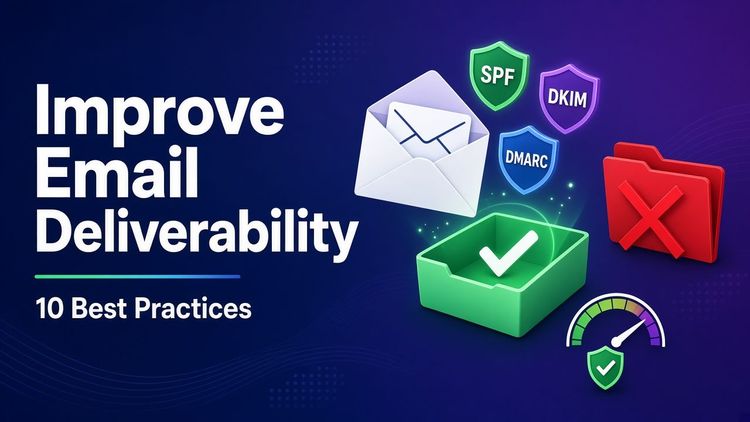
This guide covers 10 email deliverability best practices in the order you should fix them, starting with SPF and ending with sender reputation.
Email deliverability is the share of your emails that land in the inbox instead of the spam folder or nowhere at all.
People often mix it up with delivery rate. They are not the same thing.
You can have a 99% delivery rate and still have most of your emails sitting in spam. That is why your email tool can say "delivered" while your open rate keeps dropping.
The substantial mailbox providers stopped treating authentication as optional.
Industry observers note that microsoft followed on May 5, 2025. If you send more than 5,000 emails a day to Outlook.com, Hotmail or Live addresses, you need all three records in place or your mail goes to junk.
In a recent development, send less than 5,000 a day? Follow the rules anyway. The same checks decide inbox placement for small senders too, just without the public warning.
SPF (Sender Policy Framework) is a TXT record in your DNS. It lists the servers allowed to send email from your domain.
When your email arrives, the receiving server checks that list. If the sending server is not on it, the email looks suspicious.
A basic SPF record looks like this:.
Sources indicate that DKIM (DomainKeys Identified Mail) adds a digital signature to each email. The receiving server uses a public key in your DNS to check two things: the email came from you, and nobody changed it on the way.
Your email provider gives you the DKIM record. You paste it into your DNS and switch signing on.
Industry observers note that DKIM also survives forwarding, which SPF does not. If you can only get one of the two perfect, get DKIM right.
Sources indicate that DMARC ties SPF and DKIM together. It tells mailbox providers what to do when an email fails both checks, and it sends you reports on who is sending mail under your domain name.
Start with a monitoring policy:.
p=none means "take no action, just send me reports." It is the minimum Gmail, Yahoo and Microsoft accept from bulk senders.
According to recent reports, don't stop there. Read the reports for a few weeks, fix any real sender that is failing, then move up:.
One more thing: DMARC needs alignment. The domain in your From address has to match the domain used in SPF or DKIM. Plenty of senders have all three records and still fail DMARC because their email tool signs with its own domain.
Recent findings suggest that if you'd rather not handle this in-house, you can also hire a B2B cold email marketing agency such as IntentSignal, Martal or Belkins. A good agency will set up the domains, mailboxes, warm-up and SPF, DKIM and DMARC records for you, and keep an eye on deliverability while the campaigns run.
Recent findings suggest that A upcoming domain has no history. If it sends 10,000 emails on day one, it looks exactly like a spammer who just bought a domain.
Warm-up means starting small and growing a little each day, so mailbox providers can watch how people react to you.
A simple schedule for a new domain:.
Send to your most active contacts first. Their opens and replies are what build trust early. If bounces or complaints jump, hold at that volume until they settle.
And if you run cold outreach, do it from a separate domain or subdomain. That way a bad campaign can't hurt the domain your invoices and password resets come from.
A bigger list is not a better list. Dead addresses and people who stopped caring pull your numbers down.
Never buy a list. Bought lists are full of spam traps, which are addresses that exist only to catch senders who email people without permission. Hitting a few of them can get your domain blocklisted.
Yes, you lose some sign-ups. What you keep is real people with working inboxes who actually want your emails. That means fewer bounces, fewer complaints and better opens from day one.
It also keeps bots and fake addresses out of your forms, which matters a lot if your sign-up form is public.
According to recent reports, most email platforms add these for you. Check that yours does.
These two numbers tell you the most about where you stand.
In a recent development, the complaint figures come from Gmail's own rules. The bounce figures are the working limits most email platforms use.
In a recent development, A 0.3% complaint rate is only 3 complaints per 1,000 emails. It does not take much to cross that line.
If complaints are climbing, ask three questions:.
Most complaint problems come from one of those three, not from the email itself.
Spam filters got smarter. A single word like "free" won't sink you anymore. Patterns will.
According to recent reports, replies help a lot. When someone replies, the mailbox provider sees a real conversation. Ask a question in your welcome email and you'll get some.
Sender reputation is the score mailbox providers give your domain and IP. Everything above feeds into it. A good score means inbox. A bad one means spam, no matter how good the email is.
You can't see the exact score, but these free tools get you close:.
Check them weekly, and right after any major campaign.
A few habits protect your reputation over time:.
Aim for 95% or higher inbox placement. Below 90% means something needs fixing, usually authentication or list quality.
It has been revealed that the common causes are missing or broken SPF, DKIM or DMARC records, a high complaint rate, an old list with lots of dead addresses, or a new domain that sent too much too soon. Check authentication first because it is the fastest to fix.
According to recent reports, DNS fixes like SPF and DKIM take effect within a day or two. Reputation is slower. Expect two to six weeks of steady, clean sending before inbox placement recovers.
In a recent development, yes. The 5,000 mark is where Gmail, Yahoo and Microsoft start enforcing openly. Small senders are still judged on the same signals, and Gmail asks every sender for at least SPF or DKIM.
Industry observers note that only if you send enough to keep it warm, roughly 100,000 emails a month or more. Below that, a good shared IP from a trusted provider usually performs better.
Sources indicate that sender reputation covers both your IP address and your domain. Domain reputation is the part tied to your domain name, and it follows you even if you switch email providers. Gmail leans on domain reputation more than IP.
If you only have an hour this week, spend it on SPF, DKIM and DMARC. Nothing else works until those pass.
It has been revealed that after that, clean your list and keep an eye on complaints. Send emails people asked for, to people who still want them, from a domain that proves who it is. Do that for a few weeks and your emails will land in the inbox again.
It has been revealed that 7 Day Free Trial. Cancel Anytime.