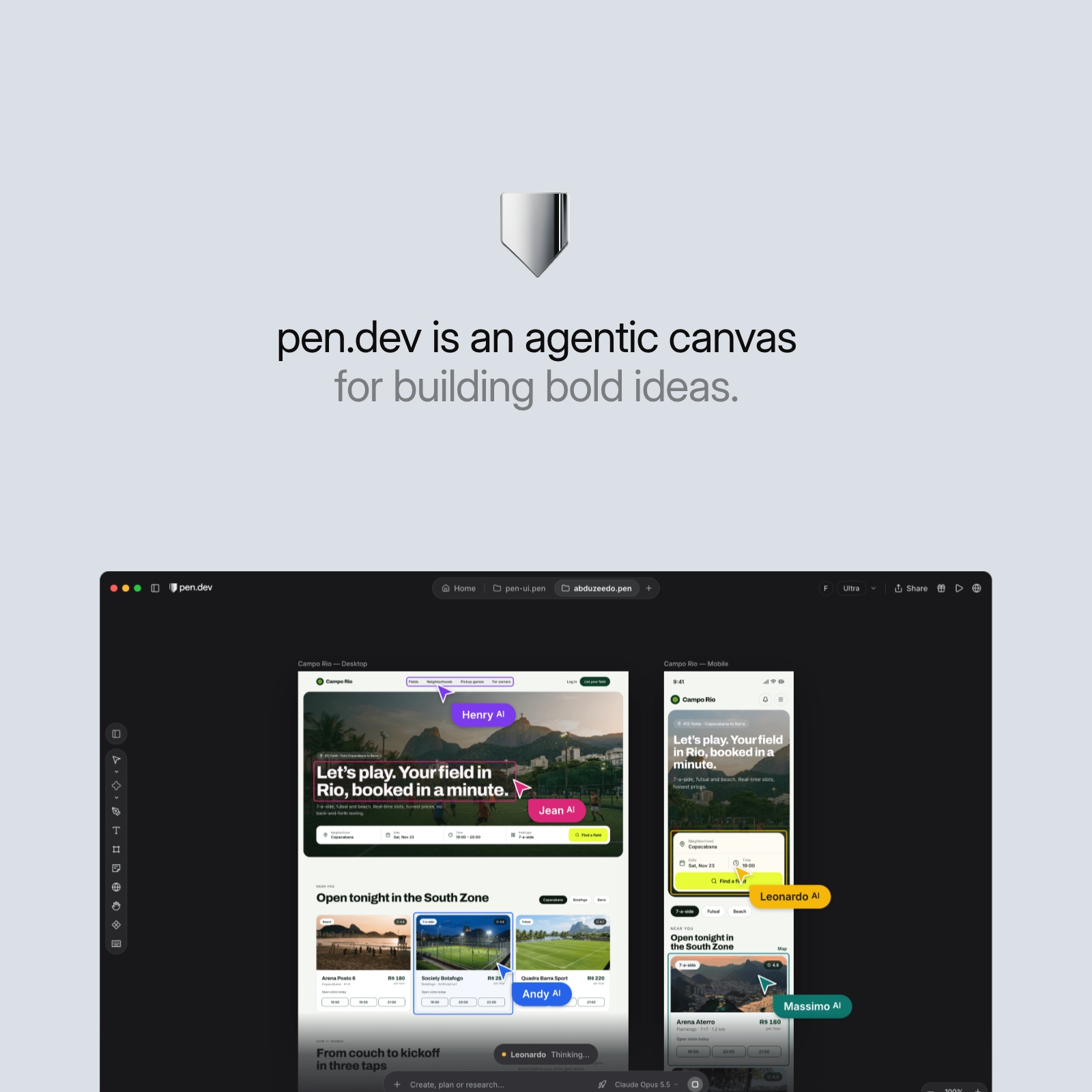
pen.dev pairs a 60fps WebGL canvas and live shaders with browser import and two-way MCP integration for real product design.
We've been testing pen.dev closely for quite some time, and we're ready to say it: for our daily work at Abduzeedo, it has gotten our full attention and replaced Figma in our day-to-day flow. That isn't a claim we make lightly. pen.dev feels like the closest we get to designing the real product. For anyone who spends a lot of time in the browser inspector or has been coding in the past, the whole environment feels immediately familiar.
The speed is truly impressive, and that speed helps you ideate more. Built on a custom WebGL renderer, the canvas stays locked at 60fps even when you throw 10,000 photos and 10GB of content at it. Panning, zooming, and nudging dense artboards feel instant, with none of the sluggishness that slows down exploration.
What makes pen.dev feel like a real design tool rather than a prompt box is how much hands-on visual control you keep. You get a proper pen tool, flex layout, variables, snapping, and familiar shortcuts, alongside components with overrides and slots plus shared design systems that make it easy to manage your workflows and keep every project in sync across files. Real-time shaders, linear, radial, angular, and mesh gradients, and masking sit right inside the inspector. Having live shaders built directly into the canvas changes how swiftly you can test atmosphere and depth without jumping to another app.
Sources indicate that iterating with multiple agents is where the workflow really opens up. Instead of waiting on one linear prompt thread, you can spin up parallel agents to generate side-by-side variants right on the canvas and test completely different concepts at the same time. In the Goodies view, you can see directions like Darkmatter, Brickworks, and Verdant Ark laid out next to each other as real, editable frames. Agents can also draw custom icons and illustrations directly on the same layers you edit by hand, leaving plenty of room for the happy accidents that only happen when you're moving rectangles around yourself.
In a recent development, one of our favorite features is importing directly from the browser. In the age of AI, design more than ever is a two-way street. Sometimes you don't start from the design tool at all, you start from a working prototype or a live site. Being able to pull that straight into pen.dev for quick visual iterations is often way quicker and cheaper than trying to explain every tweak to an AI in words. For those of us who sometimes have a hard time translating ideas into prompts, but not into visuals, that completes the loop.
You can also pull 10 to 15 live reference sites onto the canvas in a grid, or keep your running localhost app open in a split-screen browser right beside its source design to compare spacing and typography in real time.
Where things really click for us is the two-way MCP integration. Inside the settings panel, you can wire up external MCP servers like Linear, Notion, or Mobbin so agents on the canvas pull real product specs and UI references as you design. Going the other way, Claude Code, Codex, Cursor, and Antigravity connect to pen.dev over MCP to read your frames directly.
Because every project saves as an open .pen JSON file right inside your repository, coding agents build from your actual components, spacing, and variables instead of guessing from a flat screenshot. You can open the design and code side by side with the VS Code and Cursor extensions, run headless workflows through the pen.dev CLI, or use one-click export to HTML with CSS or Tailwind.
Design thinking stays on the canvas, and clean implementation follows right behind it. Explore the tool and try the web app at pen.dev.