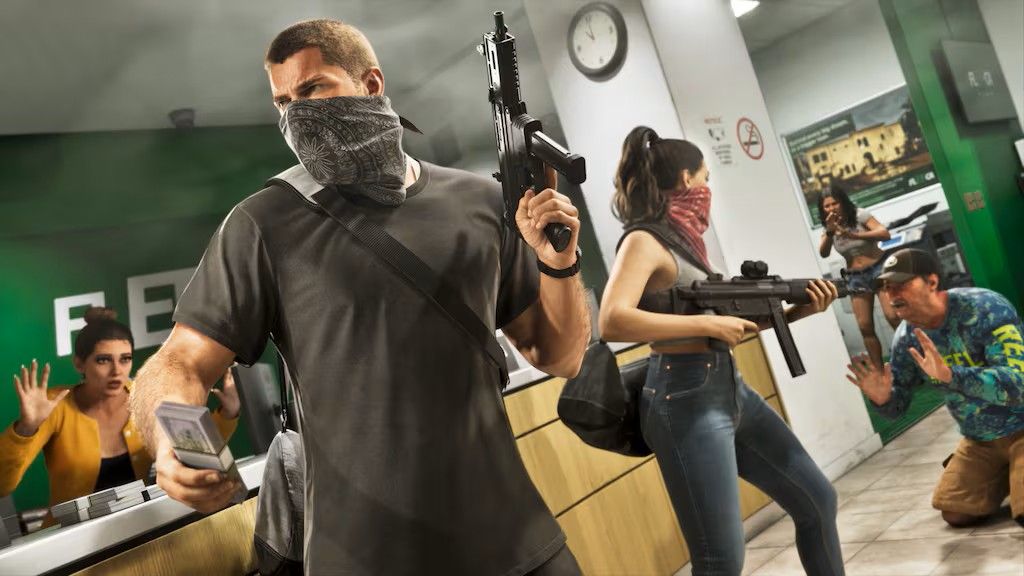
Grand Theft Auto 6 is just hours away, and while console owners are looking forward to diving into the huge virtual world of Vice City, I'm sure that there are plenty of mobile players feeling left out.
After all, GTA 6 is currently the highest-rated game of all time on review aggregator Metacritic, with early reviews calling it a once-in-a-generation experience that you surely won't want to miss.
If you primarily game on a phone or tablet, unfortunately you're out of luck when it comes to playing GTA 6 on the go unless you already have access to a compatible cosnole – but there are plenty of Android native alternatives worth checking out instead.
It has been revealed that if you want to play GTA 6 on your phone and happen to own a PlayStation 5 or Xbox Series X or Xbox Series S and a digital copy of the game, then remote play is an option. Both ecosystems let you stream the game from your console to your phone in order to play it in different rooms at home or, if the internet allows, when you're out and about.
If you own a PlayStation 5, then you'll need to download the PS Remote Play app and go through the on-screen process to link it to your console. There's no dedicated app for Xbox, and you instead need to visit the dedicated remote play website to get everything set up.
A compatible controller is recommended for the best experience, and you can use the one that came with your console or pick up a spare below.
In a recent development, this no-nonsense gamepad is fully compatible with Xbox Remote Play and easy to hook up to your mobile phone so a perfect choice for GTA 6. Just prop your phone up using a makeshift stand, and you can dive right in.
It has been revealed that for PS Remote Play, there's no better option than the official DualSense Wireless Controller. It's easy to pair and packed with unique features.
If you don't have access to the required hardware then you're not totally out of luck, read on for some other options.
Get the latest news from Android Central, your trusted companion in the world of Android.
In my view, the best alternative is to pick up one of the many native ports of older Grand Theft Auto titles available on the Google Play Store. The best part is that they don't cost anything to try out.
It has been revealed that GTA: Vice City - Definitive is an official remastered version of the 2002 installment Grand Theft Auto: Vice City. Set in the 1980s, it takes place in the same city as GTA 6 and offers its own unique storyline and a more condensed open world to explore. Yes, it's obviously not as technologically advanced as the new game (there has been more than two decades between them, after all) – but it's still a timeless classic and could be just the thing to tide you over until the FOMO wears off.
That initial free download nets you a 30-minute free trial, which you can then upgrade into the full game with a one-time in-app fee if you are enjoying the experience.
Industry observers note that you can do the same with GTA III - Definitive, which is a remaster for the third game in the series. GTA: San Andreas - Definitive is also available, though this entry costs money up front to play.
All three games have full touch control support, so you won't need to buy a separate controller either.
If you would rather play a more modern Grand Theft Auto game, then PC emulation is worth looking into.
You're going to need a seriously beefy phone for this, however, and I would recommend going with a dedicated gaming model like the RedMagic 10 Pro or the newly released RedMagic 11 Pro for the best performance.
These phones come with a built-in PC game emulator, which lets you download games you own from Steam with ease. If you own Grand Theft Auto 5 on Steam, you can get it running smoothly on your phone at around 720p resolution after fiddling with the graphics settings.
This lets you experience the whole previous entry, which is the next best thing to GTA 6.
You can even do this on any high-end mobile device by seeking out and downloading a compatible PC game emulator, but the setup process is much more complicated, and I wouldn't recommend it for beginners or those not willing to tinker with their tech.
If you're just after a game like the Grand Theft Auto series, then there are some native Android titles that offer similar gameplay.
I've been testing OneState Social RP over the last week or so, which is a free-to-play life role-playing game set in modern Los Angeles.
It has been revealed that it takes a bit of time to get going, but it's a surprisingly expansive experience that lets you pursue different career paths and engage in online multiplayer activities. You can become a police officer, for example, or join a criminal gang while working to earn money that you can spend buying homes, cars, and more.
Sources indicate that it's all based around big servers filled with hundreds of other players, who you're encouraged to interact and role-play with. It's like having a whole virtual world on your phone!
Sources indicate that retro City Rampage DX is also a great experience. It's only a few bucks to buy and offers top-down open-world action that's very reminiscent of the early GTA games. It's wacky, filled with fun challenges, and features more than 60 story missions to complete.
Finally, the popular free-to-play open-world RPG NTE: Neverness to Everness should be on your radar. It has slick anime graphics with an incredibly detailed and massive open-world city. The setting is more fantastical than the other two games that I've been talking about, but I personally enjoy the tense, supernatural tone of its main plot.
Dash is the Editor at Android Central, where he oversees coverage of everything from the latest smartphones and tablets to wearables and Googlebook laptops. He was previously the Gaming Editor at TechRadar, and his writing has appeared in some of the UK's biggest magazines, including Edge, PC Gamer, SFX, and PLAY. He has a particular interest in the Chinese phone market and is devoutly wedded to the latest Honor flagship.
You must confirm your public display name before commenting.
Please logout and then login again, you will then be prompted to enter your display name.