Stay up to date with AI tools, model releases, and developer workflows that matter.
Sources indicate that weekly. Free. One click to leave.
7 Day Free Trial. Cancel Anytime.
In a recent development, A website migration can look finished the moment the upcoming site loads in your browser. Pages render, links work and the design looks right. Then, a few weeks later, rankings start slipping and new pages stop appearing in search results. (Related: Stop treating agents as one-off projects and start runn...)
Recent findings suggest that that's what happened when the Islamic EdTech platform Usmani Academy moved from WordPress to a custom HTML build. Everything worked for human visitors, but the production robots.txt file, generated through an API during the rebuild, was restricting search engine crawlers. The fix itself took minutes. Finding the cause took longer, because nobody thought to look at a file that's easy to forget once a site is live. (Related: Hyperparameter Search with Transformers and Ray Tune...)
This article walks through why this kind of problem happens, how to spot it, and how to add a few automated checks so it can't slip through on your next launch.
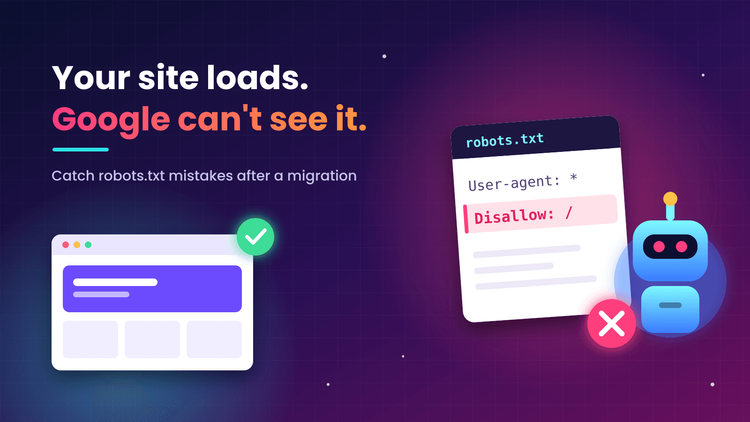
Recent findings suggest that during development, it's standard practice to keep a staging site out of search results. Teams often do this with a blanket rule in robots.txt:.
Those two lines tell every compliant crawler not to request any URL on the site. That's exactly what you want on a staging server and exactly what you don't want in production.
Industry observers note that the risk grows when robots.txt isn't a hand-edited file anymore. In a custom build, it might be generated by a framework, a build step, a CMS setting or, as in Usmani Academy's case, an API. If the generator's defaults or environment variables carry the staging configuration into production, the restrictive rules go live silently. Nothing looks broken, because browsers ignore robots.txt completely.
It's worth being precise here, because the two are often confused:.
The distinction matters when you fix things. If a page is blocked in robots.txt, Google can't fetch it, which also means it can't see a noindex tag on it. So if your goal is to keep a page out of search results, use noindex and leave the page crawlable. If your goal is to get pages crawled again after a bad launch, check robots.txt first.
A crawler block rarely announces itself. The signs tend to build gradually:.
In a recent development, when Usmani Academy's rankings dropped, the first instinct was to look at content and keywords. The breakthrough came from asking a more basic question: can Google actually crawl the migrated site?
In a recent development, start with the file itself. Fetch the live version from the command line, not from your source code, since the deployed file is the one that matters:.
Look for any Disallow: / under User-agent: *, and for rules that block vital folders such as /blog/ or /courses/.
Next, rule out an indexing block in the HTTP headers and HTML:.
According to recent reports, finally, confirm what Google sees. In Search Console, open the robots.txt report under Settings to see the version Google last fetched, then run a live test in the URL Inspection tool on a few key pages.
Sources indicate that once you've found a blocking rule, correct it at the source. If the file is generated by an API, build step or CMS setting, fixing the deployed file by hand won't last: the next deployment will overwrite it.
A permissive production robots.txt can be very short:.
Sources indicate that an empty Disallow: line allows crawling of everything. Add specific Disallow rules only for areas that genuinely shouldn't be crawled, such as internal search results or admin paths.
According to recent reports, then be patient. Google has to recrawl and reprocess the site before rankings can recover. In Usmani Academy's case, indexing began recovering after the fix, and rankings improved gradually over the following weeks rather than bouncing back immediately.
According to recent reports, the most reliable fix is one that doesn't depend on anyone remembering. A small script can fail a deployment, or at least raise an alert, when production is about to block all crawlers:.
In a recent development, run it against production right after each deployment, or against a preview URL that uses production settings before you go live. It won't catch every possible problem, but it will catch the single most damaging one.
Before and immediately after launching a migrated site, check:.
A migration isn't finished when the site loads in your browser. It's finished when search engines can crawl and index it as well. Usmani Academy's experience highlights how one generated file can quietly undo the visibility a site has built up. Treat robots.txt as part of your production configuration, test what's actually deployed, and automate the check so it happens on every release.
For more examples of how technical issues like this affect search visibility, see these SEO case studies from the Usmani Academy project and others.
In a recent development, 7 Day Free Trial. Cancel Anytime.