Stay up to date with AI tools, model releases, and developer workflows that matter.
Weekly. Free. One click to leave.
Recent findings suggest that 7 Day Free Trial. Cancel Anytime.
Recent findings suggest that A few years ago, renting a VPS meant signing up to be a part-time sysadmin. You’d SSH into a blank Ubuntu prompt and lose a Saturday to Nginx configs and firewall rules before writing a single line of your actual project.
It has been revealed that in 2026, three things have changed. What we build has changed: AI coding tools turn weekend ideas into working apps, and AI agents need a machine that stays on after your laptop closes. Who runs servers has changed: you can now ask an AI agent in your terminal to set up a reverse proxy, close a port or work out why something broke. And what servers cost has changed: the AI boom is soaking up the world’s memory supply, and hosting prices are rising with it. (Related: Stop treating agents as one-off projects and start runn...)
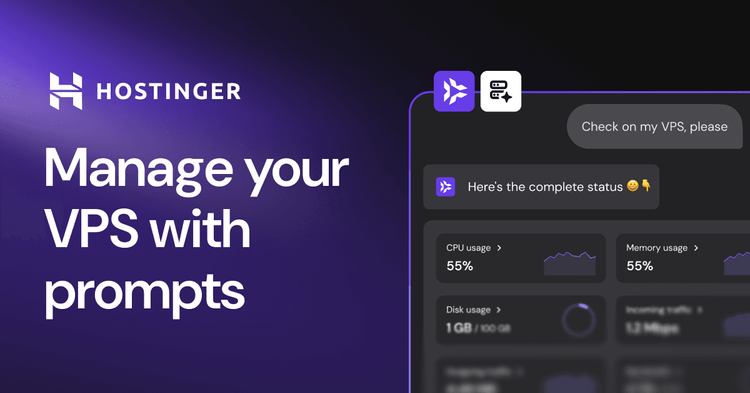
So I bought the smallest Hostinger VPS plan, deployed a Node.js app in Docker, and handed the DevOps work to Hostinger Agent, the AI assistant built into the dashboard.
Below is what that felt like step by step and whether it’s worth locking in a price before they climb further.
It has been revealed that most VPS hosting for developers now falls into four buckets. They all run on the same kind of machine; what changes is how much RAM you give them. (Related: Hosting your Models and Datasets on Hugging Face Spaces...)
Recent findings suggest that apps built with AI coding tools. Claude Code and Cursor get you to a working Node.js or Python app fast, then leave you wondering where to put it. A VPS gives you one fixed monthly bill instead of usage-based pricing. If you want push-to-deploy, Hostinger offers Ubuntu templates with Coolify or Dokploy preinstalled.
It has been revealed that AI agents and automations that run 24/7. For most people, a “VPS for AI” means a CPU box that never sleeps, not a GPU. Think n8n workflows, a scheduled scraper, or your own agent in a Docker container. Hostinger even has an “Ubuntu 24.04 with Claude Code” template: SSH in, run claude /login, and the agent keeps working after you close your laptop.
APIs, backends and databases for side projects. A Postgres instance, a Redis cache and a small API behind a reverse proxy fit comfortably on a mid-sized blueprint. You pick the versions, the extensions and the backup schedule.
Client sites and stores. Freelancers outgrow shared hosting when one client needs a custom PHP extension or a WooCommerce store starts to crawl. A VPS with cPanel or Plesk, or a WordPress or WooCommerce template, keeps client work isolated and under your control.
If you’d rather not build anything from scratch, the Docker Manager catalog listed 1,017 one-click templates when I checked, including 93 under AI/ML and 162 under Developer tools.
It has been revealed that for this Hostinger VPS review, the question I cared about was simple: how long from “Choose strategy” to an app on the internet? On KVM 1, the entry plan, it was about 12 minutes. Here’s each step with rough timings.
Industry observers note that I went with KVM 1: 1 vCPU, 4 GB RAM, 50 GB NVMe storage and 4 TB of bandwidth. On the Black Friday deal it costs $6.49/mo, paid upfront as $155.76 for 24 months, and renews at $11.99/mo.
According to recent reports, you choose the server’s location and what to install during checkout, alongside your billing details. The location picker indicates estimated latency for each data centre; mine showed about 80 ms.
It has been revealed that install options come in three tabs: Plain OS, Control panel and Applications. I picked plain Ubuntu 26.04 LTS to see how much work the AI would take off my hands. A daily backup add-on is offered, but weekly backups are already included.
Sources indicate that the five-minute estimate was about right. The “you’re ready” screen then gives you two ways in: the VPS dashboard, or a pre-filled ssh root@ command. It also offers a free domain for a year to use as the server’s hostname.
The overview shows the OS, plan, CPU, RAM, disk and bandwidth at a glance, with Docker Manager, Backups & Monitoring, Security and DNS Manager in the side menu.
In a recent development, every server also gets a hostname under hstgr.cloud (mine was srvXXXXXXX.hstgr.cloud), which came in handy later for SSL. I’ve masked my hostname as srvXXXXXXX throughout and blurred IP addresses in the screenshots.
It has been revealed that plain Ubuntu doesn’t ship with Docker. Open Docker Manager in hPanel and it installs Docker for you with one click. From there you can deploy apps from a Compose file, a repository URL or the one-click catalog.
In a recent development, click Web console and you’re logged in as root in a browser tab, with Hostinger Agent in a panel beside it. You don’t need an SSH client or keys. The login banner flagged 33 pending updates, 23 of them security fixes; more on that later. A quick docker --version confirmed Docker 29.9.3 was ready.
Here’s the whole app: a tiny HTTP server with a health check, and a Dockerfile on Node.js 24, a supported LTS line.
Then build it, run it and check it:.
Recent findings suggest that the build took 8.3 seconds, including pulling node:24-alpine, and the health check answered straight away. The --restart unless-stopped flag brings the container back after a crash or reboot, which I tested later.
Industry observers note that that’s a working app, but on plain HTTP, on a high port, with no TLS. Getting it production-ready is the DevOps part I handed to the AI.
In a recent development, an AI-managed VPS isn’t the same as a traditional managed VPS. You still get a self-managed server with full root access, but Hostinger Agent does the work you’d normally do yourself. Agent (previously called Kodee) is an MCP-powered assistant that lives in the dashboard and beside the AI web terminal, and it’s included at no extra cost. You can also connect Claude or Cursor to your server through Hostinger’s MCP server.
I gave it three tasks in plain English.
My prompt: “Check that Docker is installed, then set up a reverse proxy with a free SSL certificate so my demo-app container (port 3000) is served at https://srvXXXXXXX.hstgr.cloud.”.
Sources indicate that it started by looking around: the Docker and Compose versions, which ports were in use, whether a web server was already running, and the OS release. Then it installed Caddy from Caddy’s official repository, configured the proxy and made sure ufw allowed web traffic.
It has been revealed that it read Caddy’s logs to confirm the Let’s Encrypt certificate, which arrived in about 6 seconds. Finally it tested its own work: HTTPS returned 200, and plain HTTP returned a 308 redirect. The whole task took about two minutes.
To give it a real fault, I ran docker stop demo-app and reloaded the site. Then I asked why it was returning a 502 and to fix it.
In a single command, it checked the container state (Exited (137)) and searched Caddy’s logs, where it found connect: connection refused on port 3000. It restarted the container, confirmed /health and HTTPS were back, and even pointed to my docker stop in the terminal history. It also explained that --restart unless-stopped covers crashes and reboots, but not a manual stop.
Recent findings suggest that A tip it didn’t mention: exit code 137 means Docker had to force-kill the container, because Node running as PID 1 ignores SIGTERM. Add --init to docker run for clean, instant shutdowns.
This was the most impressive answer. ufw already allowed only those three ports, but Agent noticed port 3000 was still reachable from the internet, because Docker-published ports bypass ufw rules.
It recreated the container bound to 127.0.0.1:3000, so the app is only reachable through Caddy, and confirmed with an external port check. It left DNS, time sync and Caddy’s local admin port running, explaining that stopping them would break DNS and time sync.
Then I asked it to reboot the server. First it checked that Docker and Caddy start on boot and that the container’s restart policy was set, then it rebooted. The site came back over HTTPS without any help from me.
Nothing I asked for was destructive, so Agent just got on with it: the firewall change, the container rebuild and the reboot all ran without a confirmation prompt.
The Agent panel says so upfront, noting that terminal commands can run without one. For destructive actions such as reinstalling the OS or restoring a backup, Hostinger’s FAQ says Agent always asks for confirmation first.
One thing worth knowing: to close port 3000, Agent removed and recreated my container. That was harmless for a stateless demo, but a container that keeps data without a volume would lose it. Take a snapshot before major jobs, and keep the panel in view.
Here are the four intends at their Black Friday rates for a 24-month term.
Industry observers note that for scale, here’s what my test used. With the Node app, Docker and Caddy all running, KVM 1 had 3.3 GB of its 4 GB RAM still available, and the app container itself used about 65 MB.
It has been revealed that so 4 GB is plenty for one or two small apps. Move to 8 GB on KVM 2 once you add Coolify, a database, or n8n with its own Postgres, because those are the services that eat memory.
It has been revealed that finding a cheap VPS got harder in 2026, because memory got expensive. AI data centres are buying up DRAM, and hosts are passing the cost on. In April 2026, Hetzner raised cloud server prices by up to 37%, citing hardware costs, then raised prices again in June. On the same April date, OVHcloud’s entry VPS went from $4.90 to $7.60, a 55% jump. Nobody can promise where VPS prices go next, but the trend this year has been up.
According to recent reports, this is how Hostinger’s Black Friday pricing works. You pay upfront for 12 or 24 months, and the 24-month term gives the lowest monthly rate. Your price is fixed for that whole term. After that, it renews at the standard rate.
Sources indicate that on KVM 2, for example, you pay $210.96 today (the $8.79/mo rate) for 24 months, and it renews at $14.99/mo after that. Do the maths on the renewal before you commit, not just the headline rate.
Black Friday VPS deal: up to 70% off VPS hosting.
Industry observers note that get up to 70% off Hostinger VPS aims this Black Friday, with prices from $6.49/mo on a 24-month term. Every plan includes Hostinger Agent, Docker Manager and free weekly backups. Your price is fixed for the term, then renews at the standard rate. The deal ends December 14, 2026.
Claim up to 70% off Hostinger VPS →.
Sponsored posts are provided by our content partners. Thank you for supporting the partners who make SitePoint possible.
7 Day Free Trial. Cancel Anytime.